Distributed Cognition 2 (2022)
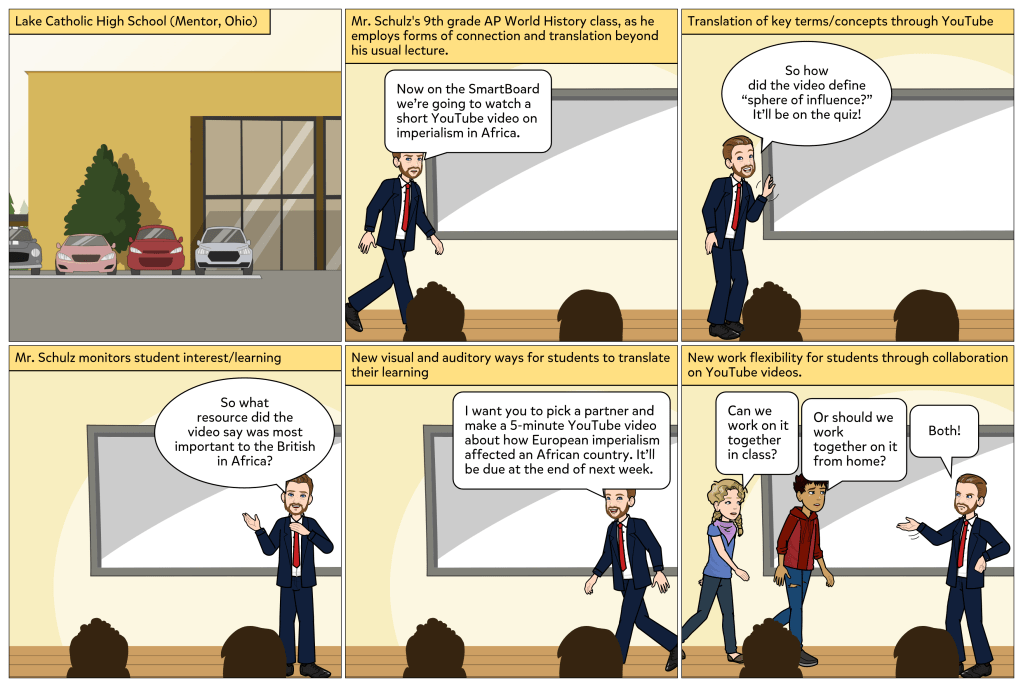
During this semester I have observed the use of technology in the ninth grade A.P. world history class of Mr. Erich Schulz at Lake Catholic High School. His students rely on many different technologies and media for both in-class presentations and work away from school, including personal laptop computers that students may take home with them for work outside of school hours. Students are able to coordinate from home collaboratively with other students on projects, which permits a division of labor and opportunities for individual specialization in writing and media production. Therefore, distributed cognition, which is based upon coordination among two cognitive systems, is able to occur more easily among the students and with their technological systems.

In his class presentations, Mr. Schulz frequently uses audiovisual media to provide historical information to his students, including PowerPoint slides, movies, and videos. He also highlights key information to students through his class lectures and handouts, offered both in-person and online through the class Google Classroom portal. Mr. Schulz relies upon a number of forms of communication that promote student learning through the pedagogical functions of connection, translation, offloading, and monitoring.

In one session I observed of Mr. Schulz’s A.P. world history class, he discussed the topic of European imperialism in Africa. His presentation included two short YouTube videos on the origins and eventual consequences of European domination over the people and resources of Africa from the 18th to the 20th centuries. These videos communicated to his students through connection and translation. Distributed cognition involves connection that permits communication between two or more cognitive systems. In this instance, connection occurred through content from the YouTube video to the students. The YouTube video was able to translate information about complicated topics, such as sovereignty and spheres of influence, making otherwise obscure information usable and accessible to students. Using YouTube videos in class may serve as a form of offloading for both the teacher and students, as laborious, time-intensive tasks, such as writing and research, may be offloaded in favor of having a YouTube video explain difficult definitions and subject matter. Offloading permits efficiency, and both teachers and students appreciate this.

The use of YouTube videos also permits quick monitoring of students by the teacher and for themselves to assess their understanding of the material. With this information, the teacher may make adjustments to his lesson plans if he ascertains that certain crucial concepts and definitions have been missed or poorly understood by his students. The teacher may choose alternate methods for communication of necessary information to his students. Through monitoring, students are able to recognize where they have failed to connect with certain material and then have the opportunity to seek the information through multiple tools, such as the class textbook, the class’ guided notes provided by Mr. Schulz, historical and informational websites, and YouTube videos, including the ones shown by the teacher. During his class session on imperialism in Africa, Mr. Schulz gave an assignment for his students to prepare a short YouTube video about how European imperialism affected a particular African country. Students were to pick a partner and work collaboratively on this project both in class and at home. One of the affordances of student’s laptop computers in working on a YouTube video is that two students may work separately in different locations but still be working collaboratively and be in constant communication to coordinate effectively. The YouTube videos produced by the students in Mr. Schulz’s class allowed them to translate otherwise dry or unexciting academic material into a pleasing format easily accessible and understandable to their classmates.

Martin, L. (2012). Connection, Translation, Off-Loading, and Monitoring: A Framework for Characterizing the Pedagogical Functions of Educational Technologies. Technology, Knowledge & Learning, 17(3), pp. 87-107.

Distributed Cognition 1 (2022)

I observed two lessons this semester in Mr. Erich Schulz’s ninth grade world history classes at Lake Catholic High School that had particular relevance to the question of distributed cognition and affordances of technology. Mr. Schulz’s classes are privileged to have abundant technology resources, including a Clever Touch SmartBoard, laptop computers for every student, and a Google Classroom portal with Google Forms and Google Docs available for students.

Theories of distributed cognition assert that the idea of the individual as the sole learner or receptor of information is a limited manner of comprehending how human beings actually learn. While human beings are certainly capable of learning on their own through observation, study, and experience, much of learning is not person-only but person-plus. In other words, cognition is distributed between the mind and another factor, such as another person(s) or a tool(s).  Human beings construct knowledge and learn in concert with other humans, as well as with items or tools, such as symbol systems, audio and visual technologies, computers, spreadsheets, and instruction manuals, as well as simple instruments, such as pencils or rulers. Human beings are able to become smarter through use of technologies that support complex cognitive processing and that lead to better cognitive performance. Cognitive technologies may assist people not only in the classroom or in an office environment but also in improving a multitude of worldly tasks, such as driving a car or landing an airplane.

Technologies involved in distributed cognition have certain effects when used, chiefly with, of, and through. Effects with technology describes the situation in which when a tool or system is not currently being used there is little cognitive change in the human being. For instance, using a calculator to divide large figures is very unlikely to make the human being using the calculator suddenly able to divide such large figures without the calculator’s assistance. The person has simply downloaded or offloaded that function to the calculator, which has temporarily amplified the person’s performance or capability. Effects with technology are usually fleeting, whereas effects of technology, while harder to quantify, result in changes in which human beings master a skill or method of doing certain things and no longer have to rely on the tool. Effects through technology are more profound and describe systemic or cultural changes brought about through the technology.

In Mr. Schulz’s unit on the Spanish-American War, he assigned students to work in groups of three in order to write collaboratively an in-class research report on the causes and outcomes of the war, using Google Docs. He instructed his students to use an affordance, the Google Docs spelling and grammar check, to review their text for errors and needed corrections before final submission of their report. Thus, the students were able to offload a task that would otherwise have taken them a much greater amount of time to complete. Though use of the Google Docs grammar and spell check could be considered as a classic case of effects with technology, it could also result in effects of technology if the students through use of this tool cognitively processed the correct spelling of the formerly incorrect words and actually learned, and later applied, the grammatical rules they had violated in their text. The effects of the technology would have to be measured by the students’ future writings without reliance on the spelling and grammar check. Mr. Schulz also had the students of his ninth grade world history class use another affordance, the Google Docs plagiarism checker, as an offloading tool to ascertain where they needed to place quotation marks and to cite their sources. Use of this plagiarism tool allows Mr. Schulz to monitor his students’ work for both unauthorized copying and failure to cite sources. This tool offers students effects with technology and also effects of technology, if through its usage they learn to properly attribute sources and provide quotations where necessary in the future. The advent of tools to monitor plagiarism may also be said to have effects through technology, as American educators have become much more aware in recent decades of how rampant plagiarism is in student work. The concept and definition of plagiarism appears to have undergone a revision among educators and students, as the phenomenon has become more understood since the advent of plagiarism monitoring technologies.

Salomon, G. & Perkins, D. (2005) ”Do Technologies Make Us Smarter? Intellectual Amplification With, Of and Through Technology.” In: Robert Sternberg and David Preiss (Eds.).Intelligence and Technology: The Impact of Tools on the Nature and Development of Human Abilities. Mahwah, NJ : Lawrence Erlbaum and Associates, Publishers. pp. 71-86.

Digital Storytelling Assessment 2022

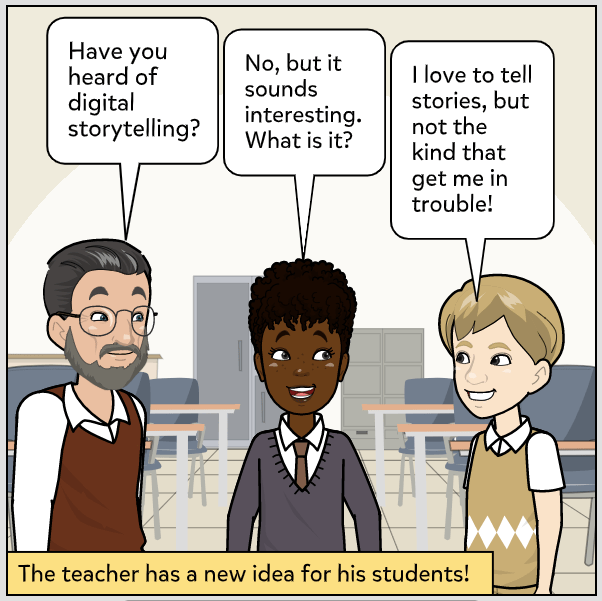
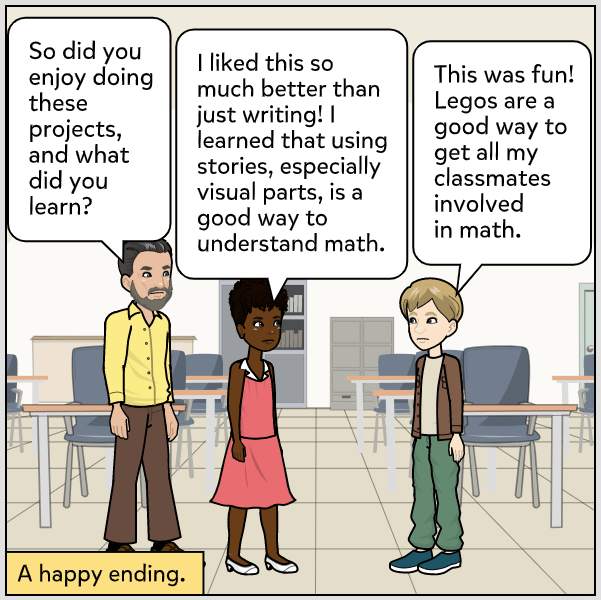
When I was in my 20s, I worked on the staff of the Peace Corps in Washington, D.C. Part of my job was filming Peace Corps-related events in and around the Washington area, including a couple of events at the White House and on Capitol Hill. Today’s technology is light years ahead of where we were in the 1980s, so I admit feeling a bit lost at times, though I appreciate the need for contemporary educators to employ technology in the classroom with which students are both familiar and eager to use. Having students produce short videos or films on subjects that intrigue them is a wonderful way to stir interest and enhance student creativity. Videos can often make an otherwise mundane topic interesting.

These will be my five criteria or rubrics for assessment of my digital video story, “My Tee-Shirts Are White Again”:

1. Story – Does the story flow well and capture the viewer’s interest?  The story should be told in a manner easy to grasp by the viewer, employing understandable terminology.  The story needs to be effective at portraying change, development and/or transformation within the storyteller.

2. Originality, Voice, Creativity – Does the story reveal something new or unusual to the viewer or ask him or her to see something familiar from a new perspective?  The story should demonstrate creative and fresh ways to describe an event or series of events.  The storyteller needs to find and provide his or her own unique voice to share the story.

3. Economy – Is the story told in a straightforward manner without confusing diversions, holes, or inconsistencies?  The storyteller should leave out irrelevant material and focus priority on telling the principal story well.

4. Flow, Organization, Pacing – How well does the story flow?  The story should be well-organized such that the viewer can follow along without difficulty or confusion.  The pace should allow for sharing of information and personal insights without either being rushed or becoming tedious. Unnecessary diversions should be avoided.

5. Citations, Permissions – Does the storyteller provide in APA format anything that is not original to the film, such as images, quotations, or other material? When referencing websites, the following should be provided: Name of website, Internet address of website, and the date that material was downloaded from the website.

Ohler, J. (2013) Chapter 4: Assessing Digital Stories. Digital Storytelling in the Classroom. Thousand Oaks, CA: Corwin. pp. 83-91.

Script/Narration for my digital story 2022

The title of my digital story is “My Tee Shirts Are White Again.” This is the script of my narration:

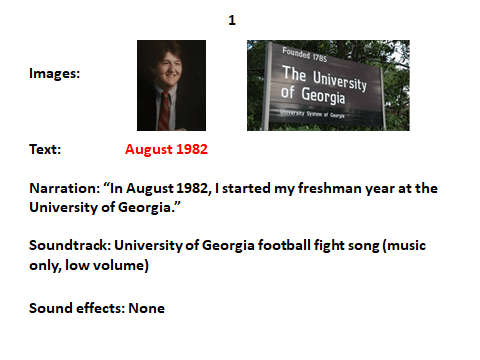
  1. In August 1982, I started my freshman year at the University of Georgia.  
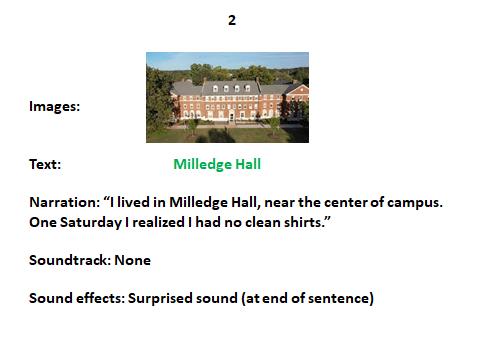
  2. I lived in Milledge Hall, near the center of campus. One Saturday I realized I had no clean shirts.
  3. At home I was used to putting my dirty clothes into the laundry hamper, and they would reappear in my room a few days later, cleaned and ironed, thanks to my Mom.
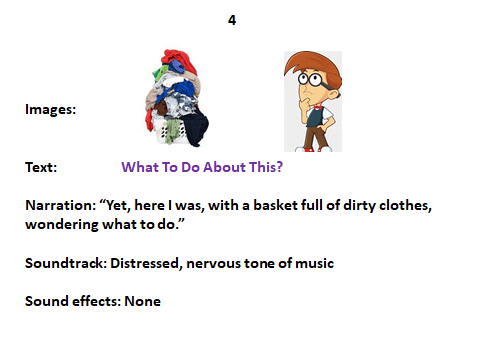
  4. Yet, here I was, with a basket full of dirty clothes, wondering what to do.
  5. So I checked out the dorm’s laundry room, got quarters to pay for the washing machine, and borrowed some detergent from my roommate Derek.
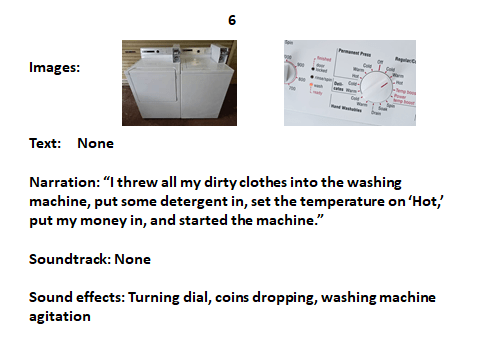
  6. I threw all my dirty clothes into the washing machine, put some detergent in, set the temperature on “Hot,” put money in, and started the machine.
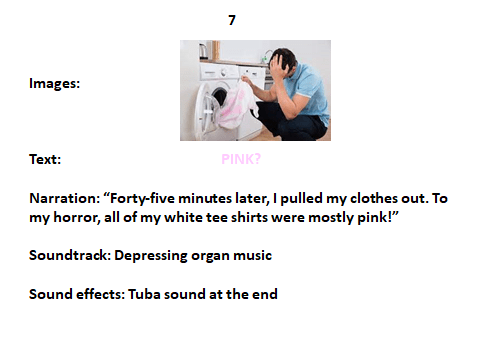
  7. Forty-five minutes later, I pulled my clothes out. To my horror, all of my white tee shirts were mostly pink!
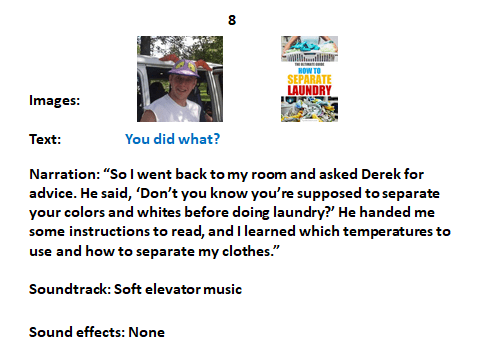
  8. So I went back to my room and asked Derek for advice. He said, “Don’t you know you’re supposed to separate your colors and whites before doing laundry?” He handed me some instructions to read, and I learned which temperatures to use and how to separate my clothes.
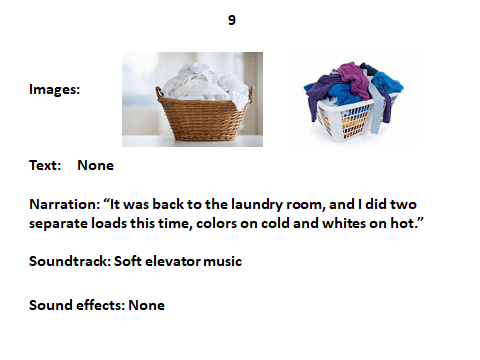
  9. It was back to the laundry room, and I did two separate loads this time, colors on cold and whites on hot.
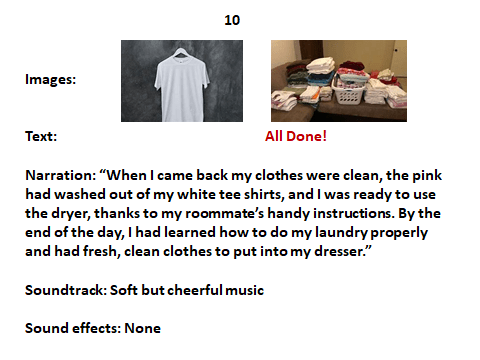
  10. When I came back my clothes were clean, the pink had washed out of my white tee shirts, and I was ready to use the dryer, thanks to my roommate’s handy instructions. By the end of the day, I had learned how to do my laundry properly and had fresh, clean clothes to put into my dresser.

Field Observation: Access to Technology 2022

I am doing my school technology observations for ED 586 (Educational Technology) this semester at Lake Catholic High School in Mentor, Ohio. I spoke with Mr. Erich Schulz, my cooperating teacher, who referred me to Mr. Richard Smith, the director of educational technology, in order to answer the following questions about the use of technology with students, teachers, and administrators.

1. Who are the people at your school in charge of the technologies available to advance the learning of students? Identify as many of these people as possible:

  • Director of educational technology: Mr. Richard Smith
  • Curriculum technology integration specialist: Mr. Richard Smith
  • Technology maintenance?: Mr. Richard Smith
  • Technology security personnel: Mr. Richard Smith and Mr. Robert Moffett
  • Library media specialist: Mrs. Mary Riddler
  • Others: All teachers are able to limit student access to the Internet or to specific websites during classroom time.

2. Details of what technology is available, where it’s located, quantities of technologies (i.e. is there a classroom set of iPads for the students to work with)?

Lake Catholic High School has a one-to-one technology system, with each student having a Chromebook laptop computer, provided by the school, that is used for assignments at school and at home.  The students use Google Classroom to complete and track all of their assignments. All teachers have Clever Touch Smartboards within their classrooms. Many students possess personal I-Pads and almost all students have their own I-Phones that they bring to school with them each day, but these devices are not part of the school’s technology resources. There is not a classroom set of I-Pads specifically set aside for student use.

3. Are the technologies readily available and are they in working order?  How do students and teachers gain access? Is there a means for reserving them? Are there required purchases by families?

Technologies at Lake Catholic High School are readily available and in working order. Each student has his or her own Chromebook laptop computer for school and home usage, and Mr. Richard Smith monitors computers to ensure that they are in working order. All teachers also have a school-issued laptop computer. Students do not need to reserve computers, as they are free to take their computers home with them throughout the school year. If a student needs to use video equipment or other specialized equipment from the school library, he or she would need to reserve this equipment from the library media specialist. Laptop computers are provided to all students as part of their school tuition payment.

4. What is the nature of the firewall blocking access to applications? Is there a process to transcend or move around the firewall? Who is in control? What is available and what is blocked and why?

Lake Catholic High School uses Go Guardian to monitor and control student usage of the Internet and related applications. The Go Guardian firewall blocks pornographic content, materials related to tobacco and alcohol, as well as specific video games, based on their ratings. Teachers and administrators may transcend or move around the firewall through the use of a specific password supplied by the school’s technology security personnel. As previously noted, teachers are able to limit student access to the Internet or to specific websites during classroom time.

Field Observation of Classroom Technology Use 2022

During the past four weeks I have been observing Mr. Erich Schulz’s third and fourth period 9th grade World History classes at Lake Catholic High School in Mentor, Ohio. The third period class is an intermediate-level class, whereas the fourth period class is honors-level. Mr. Schulz does not vary the type of technology he uses by the class’ academic level, though both the amount and difficulty of academic content is greater for the students in the honors-level class.

Mr. Schulz’s students in both classes are very familiar with technology both inside and outside of class. All students appear to have an I-Phone, and many students also possess an I-Pad. Keeping students from using these personal devices during class time for non-academic reasons is a constant struggle, and an occasional source of frustration, for the teacher. Students constantly do research, writing, and note-taking during class on their laptop computers. All students have a Google Chromebook laptop computer issued to them by the school at the beginning of the school year. Students are permitted to take these laptops home, but the laptops must be turned in by the end of the school year. Students complete most of their assignments and tests online through the Google Classroom portal, which includes Google Docs, Google Forms, and the class gradebook, which allows students to monitor their performance on an ongoing basis. The teacher posts both homework and classroom assignments on Google Classroom, as well as a weekly critical questions worksheet. Students click on “Submit” when ready to turn in a test or assignment for grading.

Students in a remote learning situation, due to COVID-19 or an extended absence from the school building, may use Google Meets, which is similar to Zoom in providing the ability for a student to have instant live access to the classroom. One drawback for students is that internet access is frequently interrupted due to local power outages and problems with the Lake Catholic internet server. While Mr. Schulz is glad that Google Meets is available to his students, he complains that some students are using its availability to stay home longer than necessary or to be absent from school for non-essential reasons. He feels that students do not receive the same experience or benefits from Google Meets that they do from being in the classroom.

Mr. Schulz uses a Clear Touch Smartboard for his class lectures, which he presents with Google Docs slides. The slides contain illustrations, key definitions/terms for students to know, and questions for student thinking and analysis. These slides often have embedded YouTube videos on relevant topics, which the students seem to greatly enjoy. Most students keep their laptops open during lectures and follow along with the slides on Google Docs. Mr. Schulz also uses the Smartboard for class games, such as Jeopardy, which he uses to help students review for tests and to become more engaged with the academic content. On one recent day, he had both his intermediate and honors classes play a game that he devised on Google Classroom. The game is called “Scramble for Africa,” and students work collaboratively in groups of three or four to take possession of parts of Africa with the best resources in terms of arable land, abundant water, and mineral wealth. The purpose of the game is to understand 19th century European imperialism and colonialism in Africa. The students worked together on their laptops to earn points by finding and colonizing the most resource-rich parts of Africa, with each group representing a different imperial power: Great Britain, France, Germany, Portugal, or Belgium.

To communicate with his students online and assess their progress, Mr. Schulz uses the Google Classroom portal to post announcements, homework/classroom assignments, and tests, as well as to update the class grade book for students to check their grades. He posts all of his classroom slides on Google Docs for students to review, as well as their graded tests and completed assignments. During in-class tests and pop quizzes, Mr. Schulz uses Go Guardian software to check that none of his students are looking at other websites while they are taking their test or quiz. Any student found looking at another website while taking a test or quiz receives a failing grade and must report to the main office for disciplinary measures.

Video Game Review 3 – Win the White House

One of the video games that I have most enjoyed discovering and playing is Win the White House, an iCivics game that I find truly engaging and useful for my future students in both U.S. government and history classes, especially in presidential election years. The game allows students to first build their own presidential campaign by choosing the candidate’s name, physical appearance, home state, political party, issue positions, and primary slogan. Then the game takes students through the party primaries, the political conventions, and the 10-week stretch to Election Day. Win the White House has colorful graphics and animation, interesting sound effects, and helpful narrative commentary, as well as maps of the United States that assist students in making choices on how to get their candidate to 270 electoral votes through the use of polling, media buys, travel, issue positions, and fundraising. The students also select their candidate’s five key issues from a list of 14 major issues relevant to the political party of their candidate. Students may also choose to run on one issue position generally seen as being championed by the other political party. For instance, once I had a Republican candidate who emphasized immigration reform, and another time I had a Democratic candidate who favored gun rights.

Win the White House

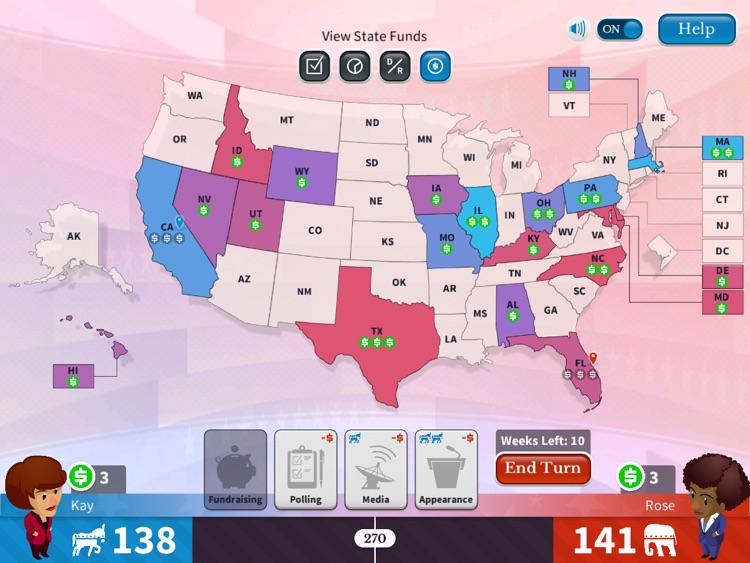
From the beginning, students are provided with options to shape their identity in the game, though the list of possible issue positions is limited, and students have to choose an animated character to represent them. Yet, this does allow some customization of the player’s presidential candidate to fit his/her personal preferences. The game is well-ordered, moving from campaign set-up through the party primaries to the political party conventions and on to the autumn campaign through Election Day. Students have to strategize how they will spend their resources and which states to focus upon during the general election. Memory is a key component to this game, as players must remember which states are leaning to which candidate and which issue positions are popular in the different states. A colorful national map lets students know which states need to be polled and which states have money available for fundraising trips. Players must also decide where to make personal appearances and to purchase media advertising.

Electoral College Map

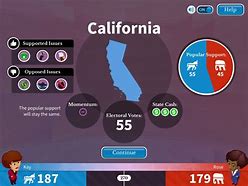
By clicking on individual states students are able to see the current polling percentages for the candidates and which issues are most salient to the voters of that state:

States In Depth

Win the White House is a game filled with choices and action, relying on some strategy and memorization to win the game against the opponent from the other political party. This game allows only one player at a time, though students may compete to see who can earn the highest number of electoral votes or impact points. The game has three levels of difficulty (elementary school, middle school, high school) that are chosen by the player at the beginning. The game is fun to play but may take anywhere from 45 minutes to one hour to complete, assuming that the student chooses to run in the party primaries, which he or she may opt out of in order to save time, going straight to the autumn campaign. Because of the length of time to play this game, I imagine I would have students play the game only once in the classroom and then later at home as an enjoyable activity to learn more about the presidential election process. In this game there is not a set of multiple rewards, as the goal is to obtain 270 electoral votes to win the election. Players who win the election receive a certificate that they may print.